

Snapshot
Generate a visual status card of your dashboard — no browser required.
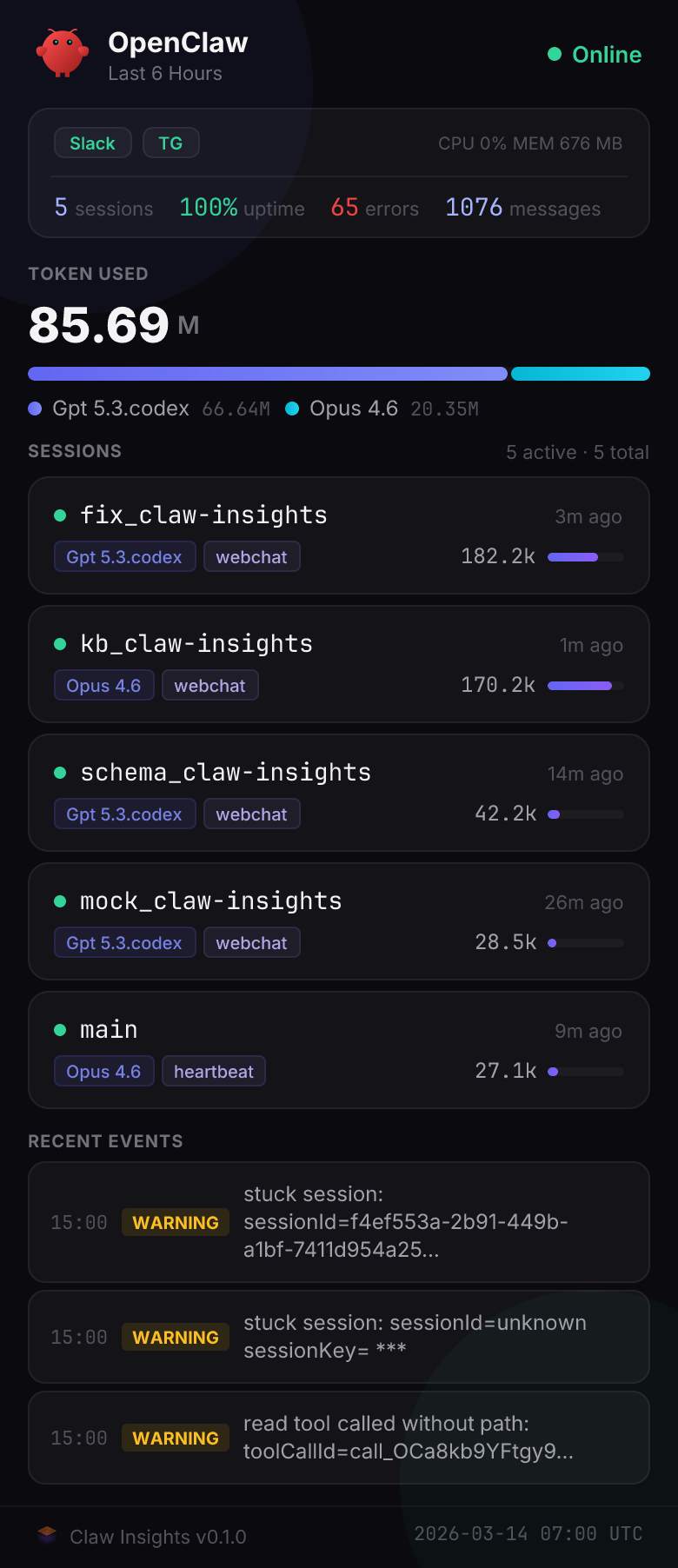
Quick Start
CLI
bash
claw-insights snapshot -o status.pngREST API
bash
curl -X POST http://127.0.0.1:41041/api/snapshot \
  -H "Authorization: Bearer $TOKEN" \
  -H "Content-Type: application/json" \
  -d '{"detail":"standard","range":"24h"}' \
  -o snapshot.png
Range Defaults Differ
The CLI defaults to --range 6h, while the REST API defaults to range=24h. Specify the range explicitly if you need consistent behavior.
Parameters
| Parameter | Values | Default (CLI / REST) |
|---|---|---|
detail | compact, standard, full | standard / standard |
format | png, svg, json | png / png |
range | 30m, 1h, 6h, 12h, 24h | 6h / 24h |
theme | dark, light | dark / dark |
lang | en, zh | en / en |
Detail Levels
- compact — summary numbers only. Best for chat messages and mobile
- standard — session list + metrics. Default for most use cases
- full — everything including event log. Best for reports
Output Formats
| Format | Use case |
|---|---|
| PNG | Share in Slack, Telegram, or reports |
| SVG | Embed in web pages, scales to any size |
| JSON | Feed into other tools or dashboards |
Examples
bash
# Compact card for chat
claw-insights snapshot --detail compact --quick -o status.png

# Full daily report, light theme, Chinese
claw-insights snapshot --detail full --range 24h --theme light --lang zh -o report.png

# JSON data export
claw-insights snapshot --format json -o data.json

# REST: compact 6h snapshot
curl -X POST http://127.0.0.1:41041/api/snapshot \
  -H "Authorization: Bearer $TOKEN" \
  -H "Content-Type: application/json" \
  -d '{"detail":"compact","range":"6h"}' \
  -o compact.png
Use Cases
- Push to Slack / Telegram — send a daily status image to your team channel
- Scheduled reports — cron job that generates a PNG every morning
- Agent self-monitoring — your AI agent captures its own dashboard and reasons about it
TIP
Snapshots respect the same data and permissions as the live dashboard — what you see is what you get.